10 Technical SEO Mistakes That Hurt Your Rankings
Discover the 10 most common technical SEO mistakes that are hurting your Google rankings, and learn how to fix them with practical, actionable solutions.
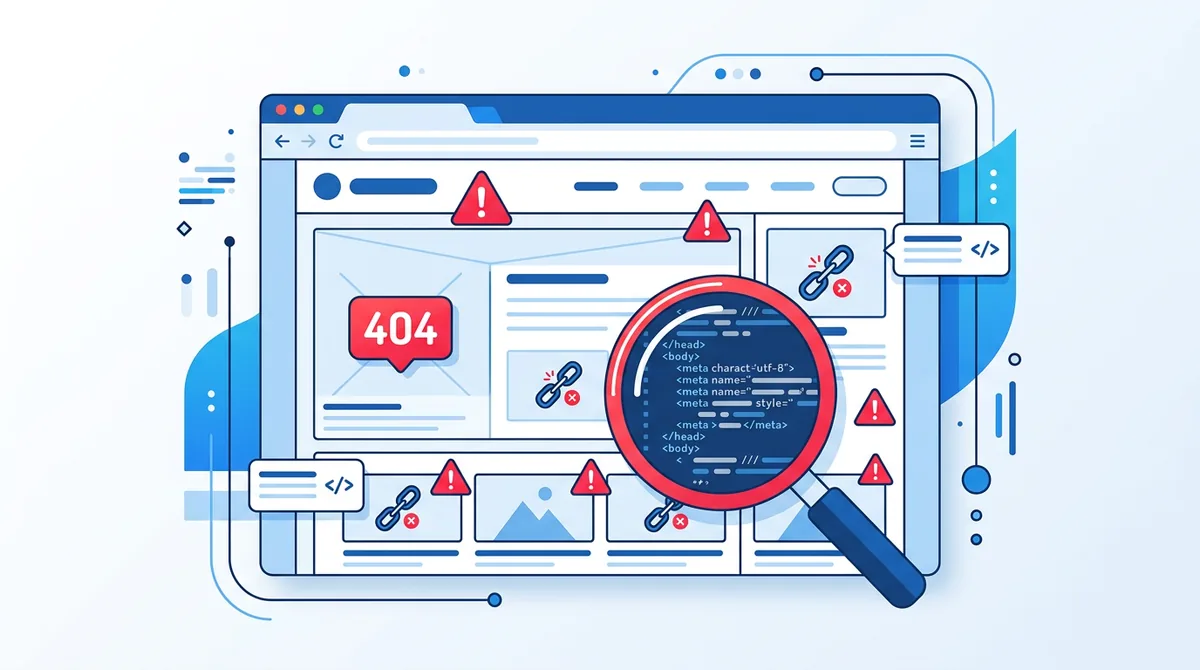
A website can have a polished design, high-quality content, and a compelling offer, yet remain invisible on Google. The reason is often technical: silent SEO errors prevent search engines from properly crawling, indexing, and ranking your pages.
Technical SEO forms the foundation of any organic search strategy. Without solid foundations, even the best content cannot reach its full visibility potential. In this article, we review the 10 most common technical SEO mistakes, how to detect them, and most importantly, how to fix them.
1. A Misconfigured robots.txt File
The robots.txt file is the first thing search engine crawlers check when they arrive on your site. A misconfiguration can block the indexation of essential pages or, conversely, allow sensitive pages to be indexed.
Common mistakes include using "Disallow: /" which blocks the entire site, forgetting to reference the XML sitemap, or blocking CSS and JavaScript resources needed for page rendering.
How to detect the issue: check your robots.txt file accessible at yoursite.com/robots.txt. Use the URL Inspection tool in Google Search Console to verify that your important pages are accessible to crawlers.
Solution: write a clear robots.txt file that allows access to public pages and only blocks private sections (admin, cart, user accounts). Always add a Sitemap directive pointing to your sitemap.xml file.
2. Missing XML Sitemap
An XML sitemap is a file that lists all the important URLs on your site. It helps search engines discover and index your pages more efficiently, especially for large sites or those with an imperfect internal linking architecture.
Without a sitemap, Google must rely solely on link-based crawling to discover your pages. Deep or orphaned pages may never get indexed.
Solution: generate a dynamic XML sitemap that updates automatically. Submit it via Google Search Console and reference it in your robots.txt. Make sure to include only canonical pages with a 200 response code.
3. Uncontrolled Duplicate Content
Duplicate content occurs when identical or very similar content is accessible via multiple URLs. This dilutes your page authority and creates confusion for search engines that do not know which version to index.
The most common causes are: coexisting HTTP and HTTPS versions, URLs with and without www, URL parameters (filters, sorting, pagination), and category pages with repetitive content.
Solution: implement 301 redirects to unify your URL versions. Use canonical tags to indicate the reference version to search engines. Configure URL parameters in Google Search Console.
4. Missing or Incorrect Canonical Tags
The canonical tag (rel="canonical") tells search engines which is the primary version of a page when multiple URLs lead to similar content. Its absence or misuse is one of the most widespread technical SEO errors.
Common mistakes include canonical tags pointing to a 404 page, canonical to a redirected page, cross-canonical between two pages, or complete absence of canonical on parameterized URLs.
Solution: every indexable page should contain a self-referencing canonical tag. For pages with variants (pagination, filters), the canonical should point to the main page. Regularly audit your canonical tags with tools like Screaming Frog.
5. Slow Page Load Speed
Page load speed is a confirmed Google ranking factor. Core Web Vitals, which measure user experience in terms of performance, have become an official ranking signal. A slow site loses both in rankings and conversions.
Main causes of slowness include unoptimized images, render-blocking JavaScript, lack of caching, undersized hosting, and unoptimized database queries.
Solution: compress and resize your images to WebP format. Defer loading of non-critical scripts. Implement a CDN and browser caching. Aim for an LCP under 2.5 seconds, a CLS under 0.1, and an INP under 200 milliseconds.
6. Broken Internal Links
Broken internal links (leading to 404 pages) create a poor user experience and waste crawl budget. They also prevent PageRank from flowing through your site, weakening the authority of linked pages.
How to detect: use a crawl tool like Screaming Frog or Sitebulb to scan your site and identify all links leading to 404 errors. Google Search Console also flags coverage errors in its report.
Solution: fix links to the correct URLs or implement 301 redirects for deleted or moved pages. Perform a monthly broken link audit to maintain a healthy link architecture.
7. Missing Image Alt Attributes
Image alt attributes serve both accessibility (screen readers) and SEO purposes. Google uses alt text to understand image content and index them in Google Images. Missing alt attributes represent a missed SEO opportunity.
Solution: write descriptive, relevant alt text for every informative image. Naturally include your target keywords when appropriate, without over-optimizing. Purely decorative images can have an empty alt (alt="").
8. Poor Mobile Experience
Since Google's switch to mobile-first indexing, the mobile version of your site is the primary version used for indexing and ranking. A non-responsive site or one offering a poor mobile experience is directly penalized.
Common problems include text too small to read without zooming, interactive elements too close together, content wider than the screen requiring horizontal scrolling, and intrusive pop-ups blocking content.
Solution: adopt a responsive design that adapts to all screen sizes. Test your site with Google's Mobile-Friendly Test. Ensure font sizes are at least 16px and tap targets are at least 48x48 pixels.
9. No HTTPS
HTTPS has been a ranking signal since 2014. Beyond SEO, modern browsers display security warnings on HTTP sites, which deters visitors and damages your brand credibility.
Solution: install an SSL certificate (free options are available via Let's Encrypt). Redirect all HTTP URLs to HTTPS with 301 redirects. Update your internal links and resources to use HTTPS. Verify that your sitemap and Search Console use HTTPS URLs.
10. Missing Structured Data
Structured data (Schema.org) helps search engines better understand your page content and display rich results (rich snippets) in SERPs: reviews, FAQs, recipes, events, products, and more.
The absence of structured data does not directly penalize your ranking, but it deprives you of a significant competitive advantage. Rich results increase click-through rate (CTR) by 20 to 30% on average.
Solution: implement the structured data types relevant to your business. Use the JSON-LD format recommended by Google. Validate your structured data with Google's Rich Results Test tool. Start with Organization, BreadcrumbList, and Article schemas.
Conclusion: Audit Your Technical SEO Regularly
Technical SEO errors are often invisible to visitors but have a major impact on your search engine visibility. A regular technical audit, ideally quarterly, helps detect and fix these issues before they significantly affect your organic traffic.
These ten mistakes are the most frequent cases of a wider chapter. The complete technical SEO guide covers the eight checks of our audits, from crawl to monitoring, with what Google documents and the fix for each.
At SEOForge, we offer a comprehensive technical SEO audit that identifies these errors and provides a prioritized action plan to fix them. Feel free to contact us to improve the technical foundations of your search rankings.

Author of this article.
Read next
How We Implemented GEO on Our Own Site
robots.txt open to AI crawlers, entity schema against namesakes, llms.txt generated from routes, honest dates: our GEO implementation in detail.
Read more
On-Page SEO Checklist: 15 Points to Optimize Your Pages
Discover the 15 essential on-page SEO checklist points to optimize your web pages: title tags, meta descriptions, heading structure, internal linking and more.
Read more