On-Page SEO Checklist: 15 Points to Optimize Your Pages
Discover the 15 essential on-page SEO checklist points to optimize your web pages: title tags, meta descriptions, heading structure, internal linking and more.
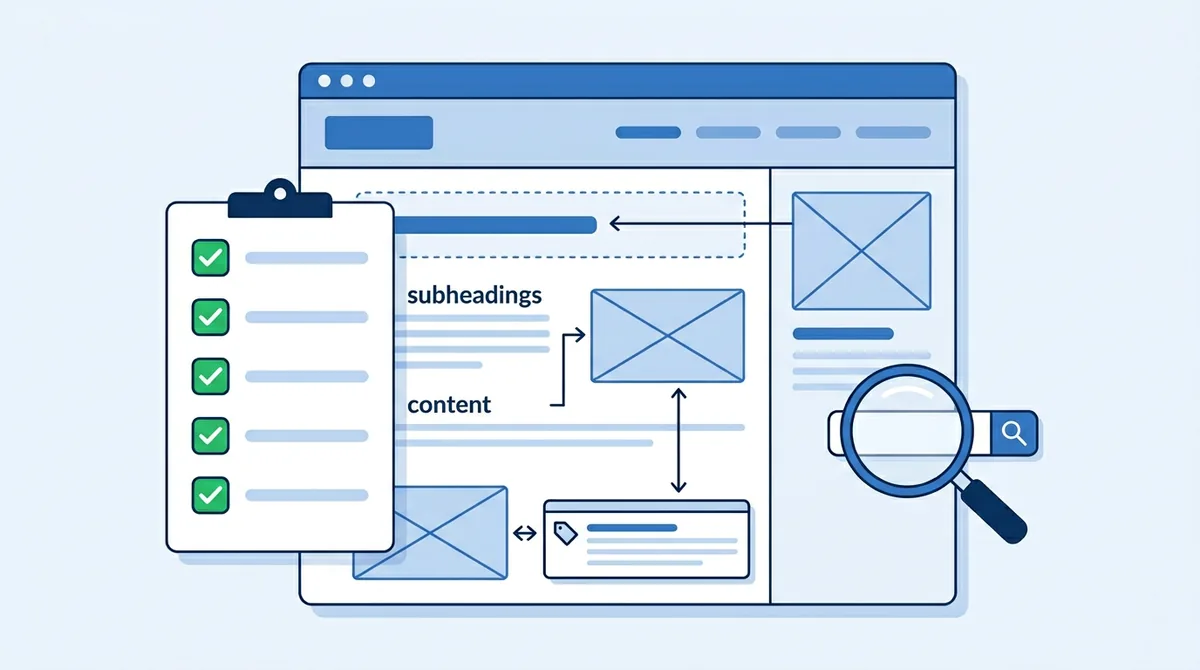
On-page SEO encompasses all the optimizations you can apply directly to your web pages to improve their ranking in search results. Unlike technical SEO or link building, on-page SEO is entirely within your control and can produce fast results when properly executed.
This checklist covers the 15 essential points to verify and optimize on each of your pages. Whether you are creating new content or auditing existing pages, follow these points to maximize your organic visibility.
1. Title Tag (SEO Title)
The title tag is one of the most influential on-page factors. It appears in search results as the clickable headline and in the browser tab. A well-optimized title tag can significantly improve your click-through rate (CTR) and ranking position.
- Include your primary keyword at the beginning of the title tag
- Limit length to 55-60 characters to avoid truncation in SERPs
- Write a unique title for each page, never duplicate titles
- Make the title attractive and click-worthy while staying true to the page content
2. Meta Description
Although the meta description is not a direct ranking factor, it strongly influences click-through rate in search results. A relevant and engaging meta description can make the difference between a click on your result and a click on your competitor's.
- Write a description of 150 to 160 characters maximum
- Naturally incorporate the primary keyword and variations
- Include a clear call-to-action (Discover, Learn, Compare...)
- Summarize your page's unique value to encourage clicks
3. H1-H6 Heading Structure
The heading hierarchy structures your content logically for both users and search engines. A good heading structure facilitates understanding of the main topic and subtopics of your page.
Use a single H1 per page containing your primary keyword. Structure subsections with H2s, sub-subsections with H3s, and so on. Never skip a hierarchy level (for example, going from H2 to H4 without an H3).
4. Keyword Placement
Strategic placement of your keywords signals to search engines what your page is about. The goal is to integrate keywords naturally, without over-optimization that could be perceived as keyword stuffing.
- Place the primary keyword within the first 100 words of content
- Use variations and synonyms throughout the text (semantic field)
- Incorporate long-tail keywords in H2 and H3 subheadings
- Aim for a natural density of 1 to 2% for the primary keyword
5. Internal Linking
Internal linking connects your pages together and distributes authority (PageRank) across your site. A strategic internal linking structure helps Google discover and index your pages while guiding visitors to relevant content.
Create contextual internal links from your content to thematically related pages. Use descriptive anchor text containing relevant keywords (avoid generic phrases like "click here"). Ensure your most important pages receive the most internal links. This is exactly what we check in our on-page SEO service, page by page.
6. Image Alt Text
Image alt text serves both accessibility and SEO purposes. It allows screen readers to describe images to visually impaired users and helps Google understand the visual content of your pages for indexing in Google Images.
Write precise, contextual descriptions for each informative image. Naturally integrate keywords when relevant, but do not force it. For purely decorative images, use an empty alt attribute (alt="").
7. URL Structure
Clear, descriptive URLs help users and search engines understand page content before even visiting. A well-structured URL builds trust and can improve click-through rate in search results.
- Use short, descriptive URLs containing the primary keyword
- Separate words with hyphens (not underscores or encoded spaces)
- Avoid unnecessary URL parameters, numbers, and special characters
- Use a logical structure reflecting your site architecture (e.g., /category/subcategory/page)
8. Content Quality and Depth
Google favors content that fully addresses the user's search intent. Superficial 300-word content will struggle to rank against thorough, comprehensive content that covers all aspects of a topic.
Analyze the top 10 results for your target keyword and identify the subtopics covered. Create content that is more comprehensive, more current, and more useful than existing results. Provide unique value: original data, case studies, field expertise, concrete examples.
9. Structured Data (Schema.org)
Structured data helps search engines better understand the context and type of your content. They enable the display of rich results (rich snippets) that increase your visibility and click-through rate in SERPs.
Implement relevant schemas for your content type: Article for blog posts, Product for product pages, FAQ for frequently asked questions, HowTo for tutorials, LocalBusiness for local businesses. Use JSON-LD format and validate with Google's testing tool.
10. Mobile Optimization
With Google's mobile-first indexing, the mobile version of your page is what gets evaluated for ranking. A page not optimized for mobile will be penalized regardless of the quality of its desktop version.
Verify that your content is fully accessible on mobile, that buttons and links are sufficiently spaced for touch interaction (48x48px minimum), that text is readable without zooming (16px minimum), and that images adapt to screen width.
11. Page Speed
Loading speed is a direct ranking factor through Core Web Vitals. Beyond SEO, a fast site reduces bounce rate and increases conversions. Each page should achieve good Core Web Vitals scores: LCP under 2.5s, CLS under 0.1, INP under 200ms.
Optimize images, defer non-critical JavaScript, leverage browser caching, and minimize CSS and JavaScript. Test each page individually with PageSpeed Insights to identify specific optimizations.
12. Canonical Tags
Canonical tags prevent duplicate content issues by telling search engines which version of a page is the reference. Every indexable page should contain a self-referencing canonical tag.
Verify that your paginated pages, pages with sorting and filtering parameters, and pages accessible via multiple URLs all have correctly configured canonical tags pointing to the primary version.
13. Open Graph and Twitter Card Tags
Open Graph tags (og:title, og:description, og:image) and Twitter Cards control how your page appears when shared on social media. While these tags do not directly impact Google ranking, they influence social signals and traffic from shares.
Set at minimum og:title, og:description, og:image, and og:url for each page. Use images at recommended dimensions (1200x630px) and use different text from your SEO meta tags to maximize social engagement.
14. Content Readability
Readable, well-structured content keeps visitors on the page longer, sending positive signals to Google. Readability is not just about language level but also about visual formatting of content.
- Use short paragraphs of 2 to 4 sentences maximum
- Break up content with subheadings every 200 to 300 words
- Use bullet lists for enumerations
- Use bold text to highlight key information
- Adapt language level to your target audience
15. Call-to-Action (CTA) Placement
SEO-optimized content should also convert visitors into leads or customers. Strategic placement of calls-to-action (CTAs) guides users to the next step without interrupting the reading experience.
Place a primary CTA above the fold and another at the end of the article. Use contextual CTAs within the body text when content naturally mentions your offering. Test different wording and positions to optimize your conversion rate.
Conclusion: Apply This Checklist Systematically
On-page SEO is methodical work that requires rigor and consistency. This 15-point checklist covers the essential optimizations that, when applied systematically, will significantly improve the visibility of your pages in search results.
The key is not to seek perfection on a single point, but to ensure a good level of optimization across all 15 criteria. Content that checks all the boxes will always rank better than content optimized on just one aspect.
This checklist covers the page. What happens at site level, crawling, indexing, canonical, hreflang, rendering, is in the complete technical SEO guide.
At SEOForge, we use this checklist as the foundation of our on-page audits. Our expertise helps you quickly identify the most impactful optimization opportunities for your site. For the technical foundations (crawl, indexation, speed), start with a technical SEO audit.

Author of this article.
Read next
How We Implemented GEO on Our Own Site
robots.txt open to AI crawlers, entity schema against namesakes, llms.txt generated from routes, honest dates: our GEO implementation in detail.
Read more
How to Optimize Your WordPress Site Speed in 10 Steps
Discover 10 actionable steps to speed up your WordPress site: hosting, caching, images, CDN, and more. A practical guide for optimal performance.
Read more